2.1. Go to [https://console.cloud.google.com](https://console.cloud.google.com/). You may be prompted to sign in again.
2.2. Click on "Select a Project".
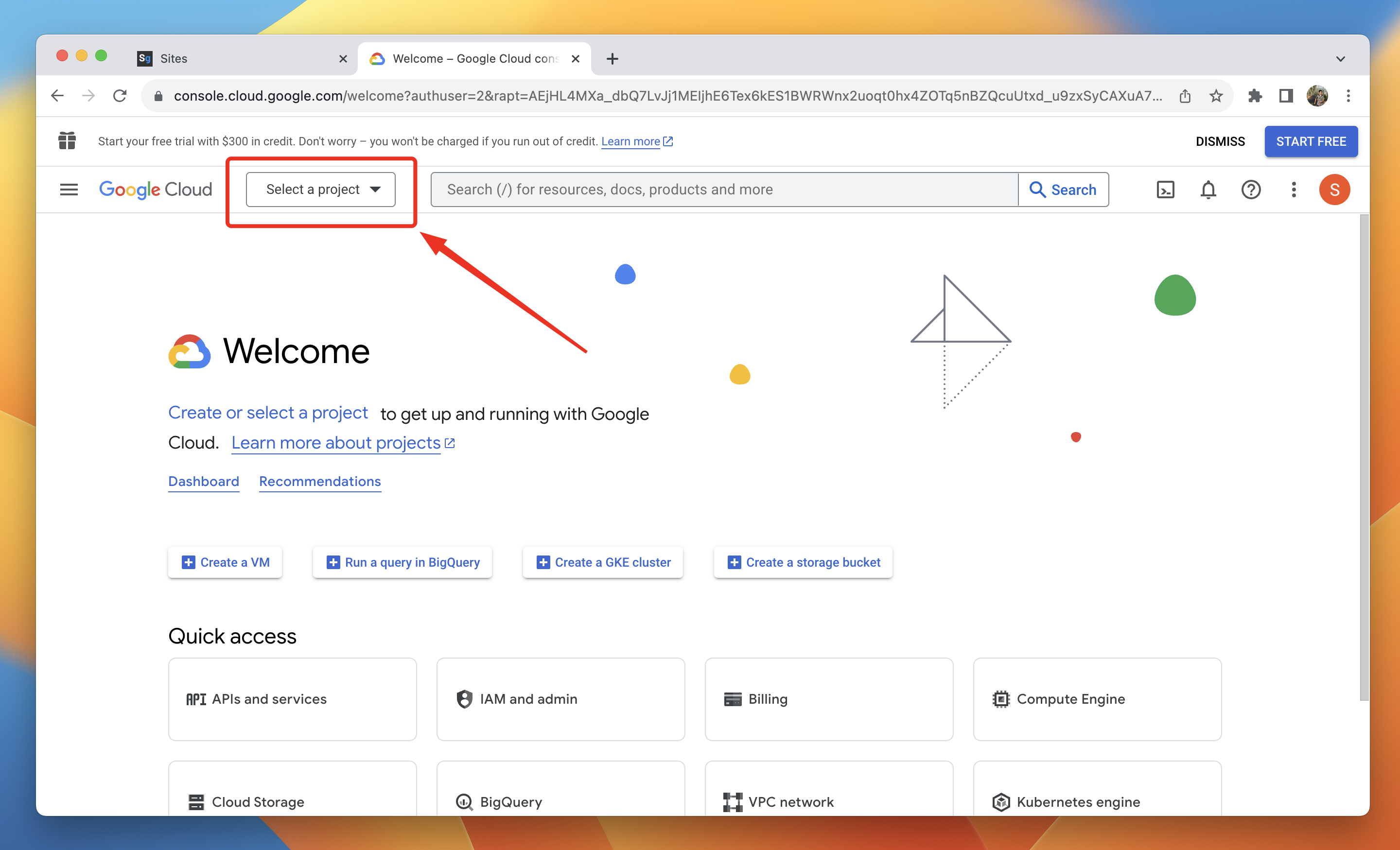
2.3. Click on "Create a New Project".
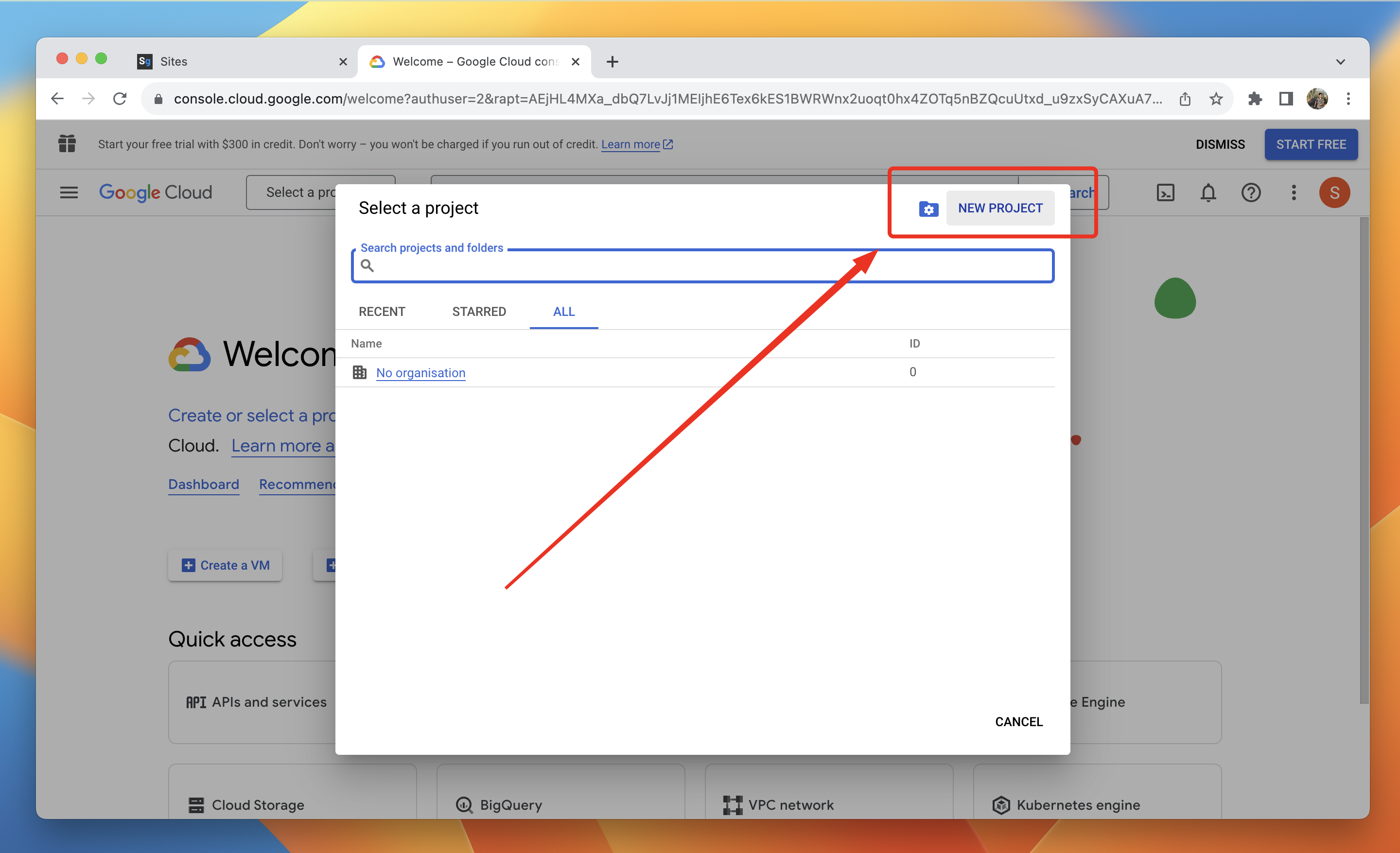
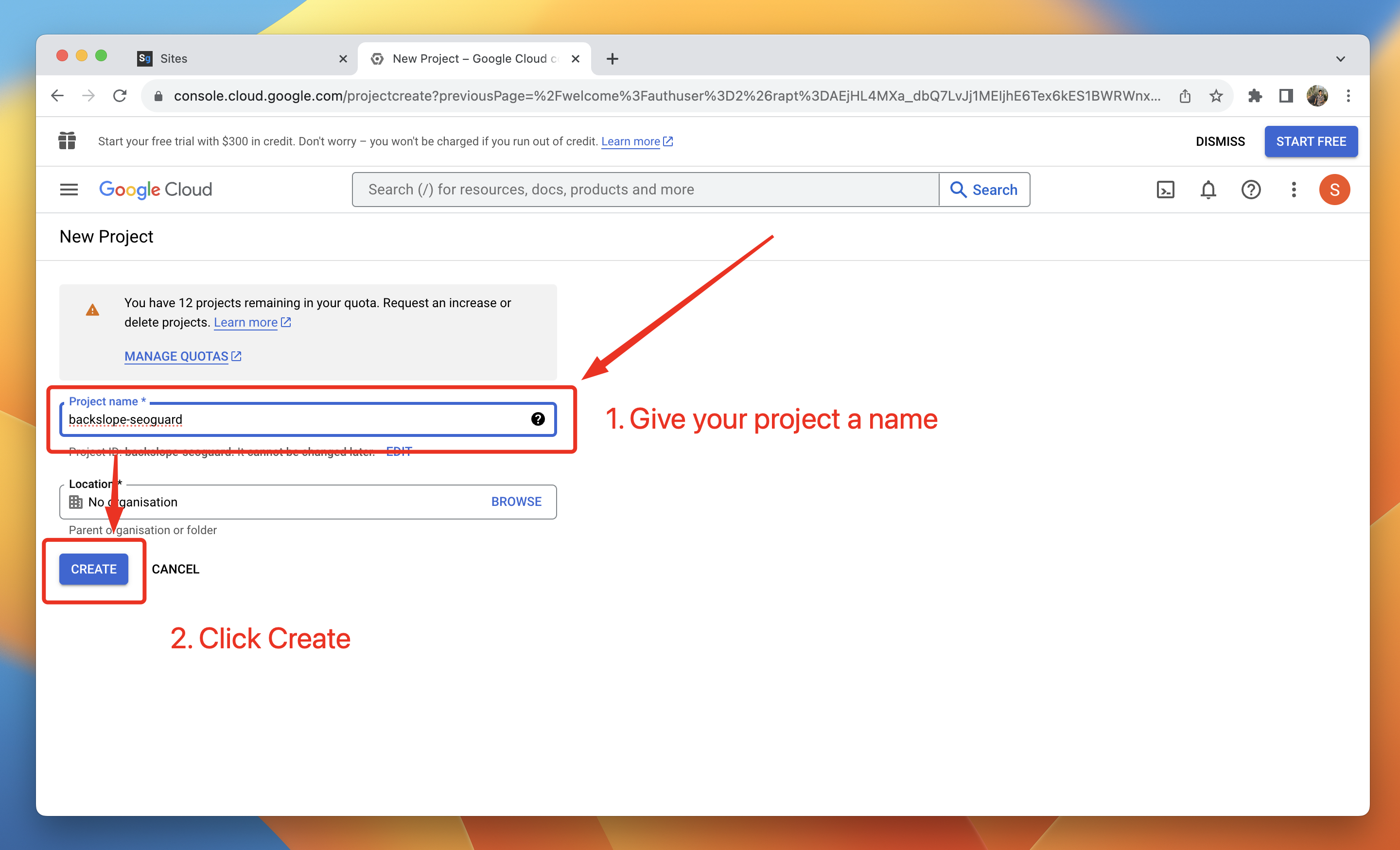
2.4. Create a new project
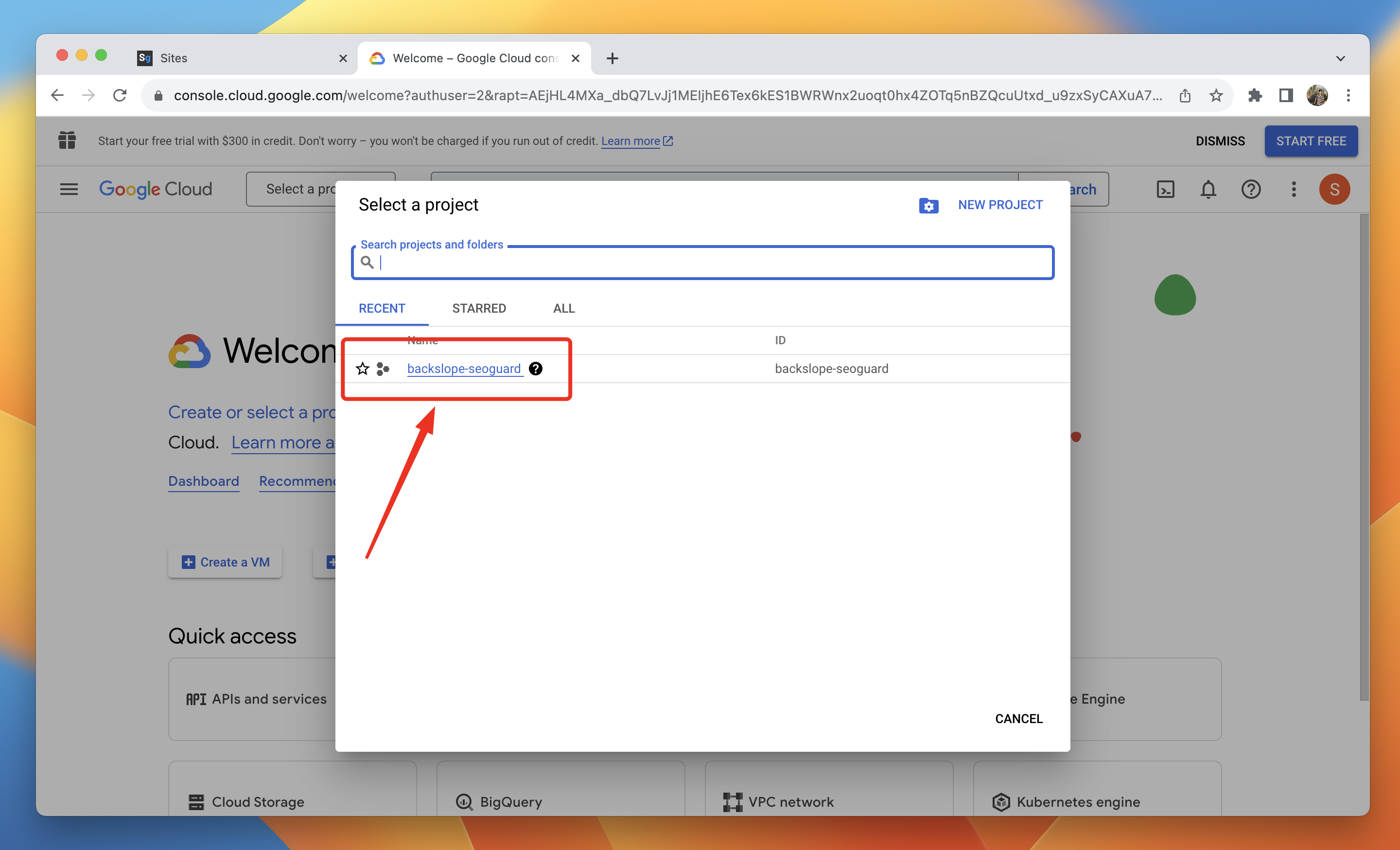
2.5. Select the newly created project
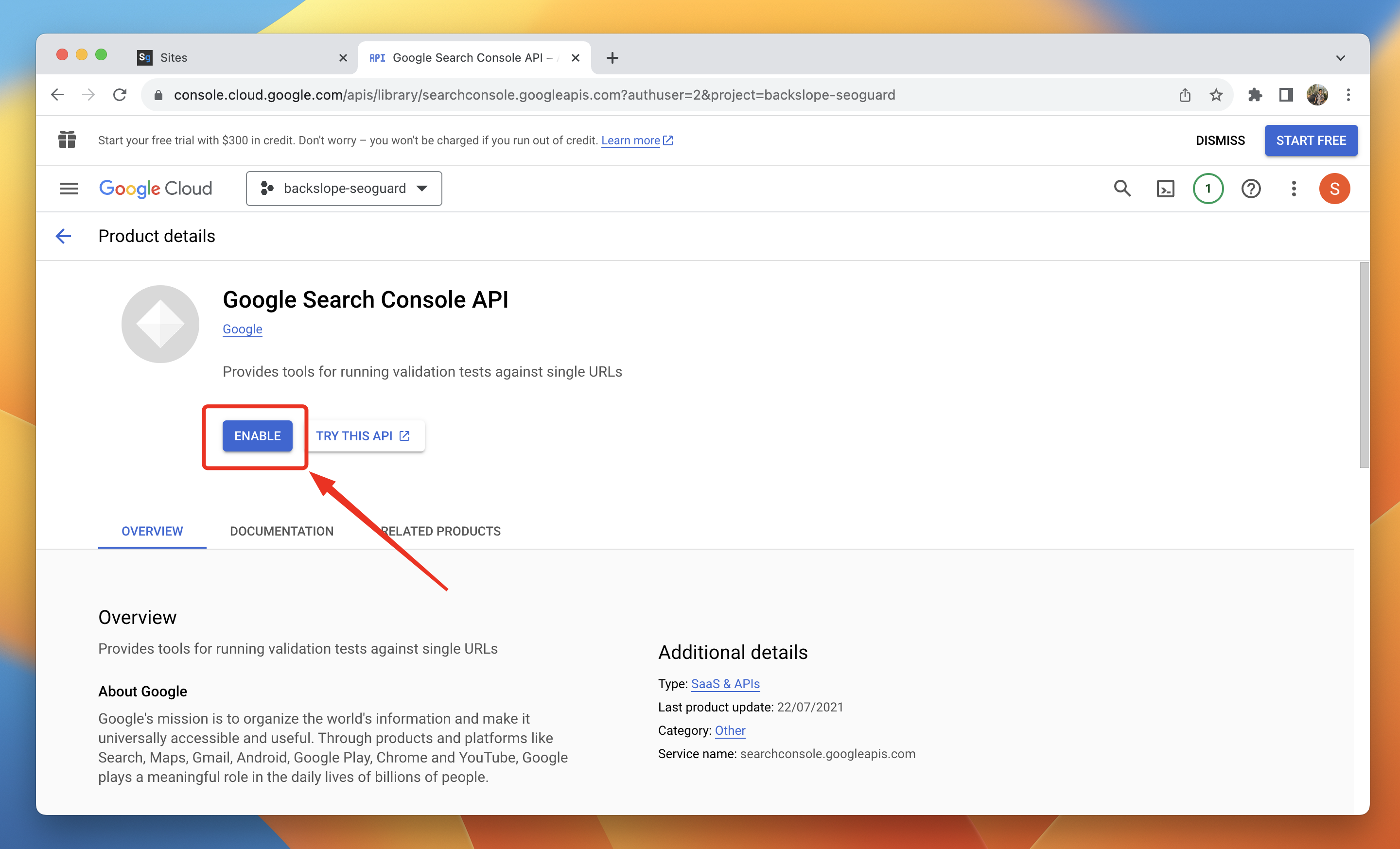
2.6. Go to https://console.cloud.google.com/apis/library/searchconsole.googleapis.com and Enable the Google Search Console API
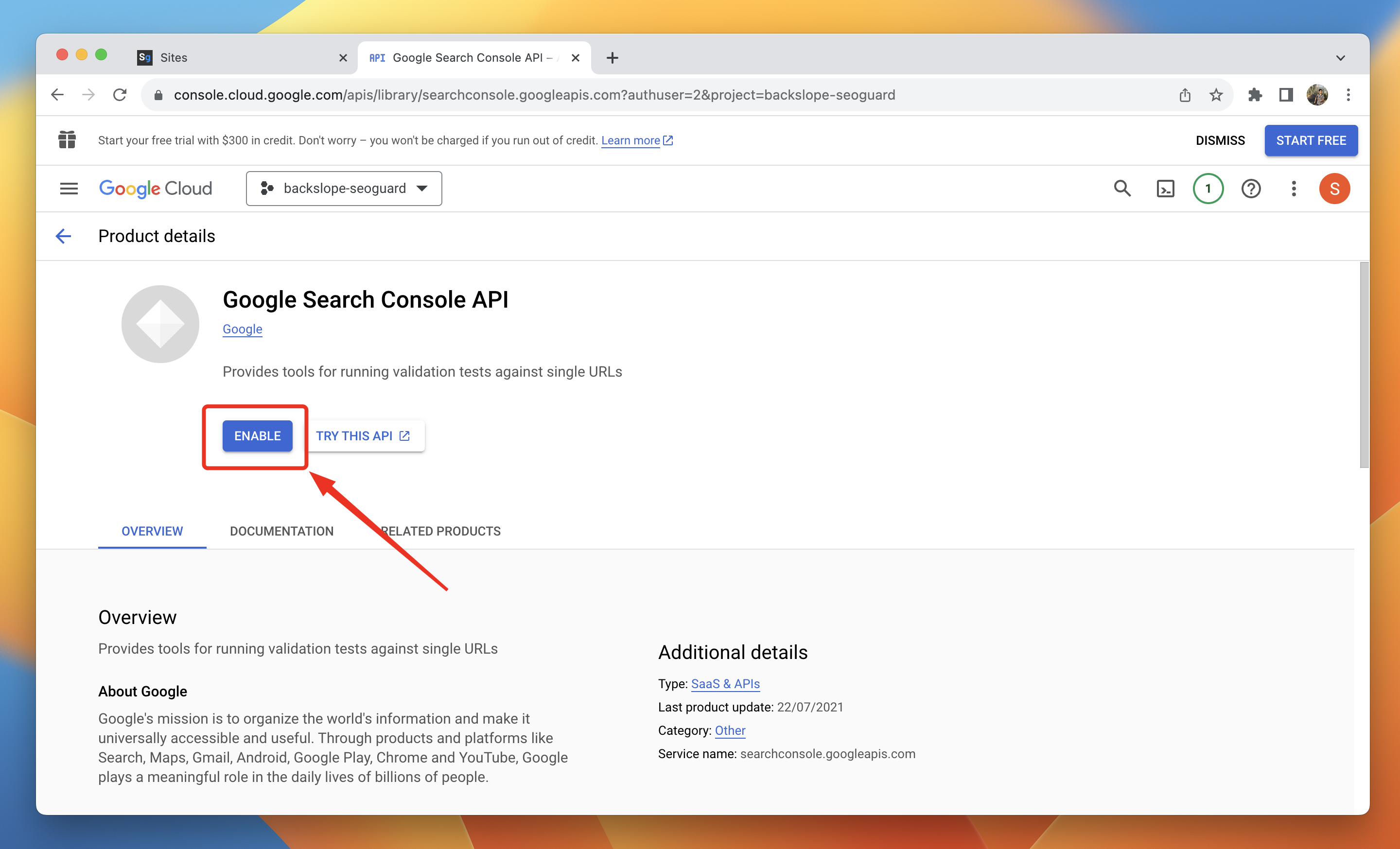
2.7. Go to https://console.cloud.google.com/apis/library/indexing.googleapis.com and enable the Web Search Indexing API.
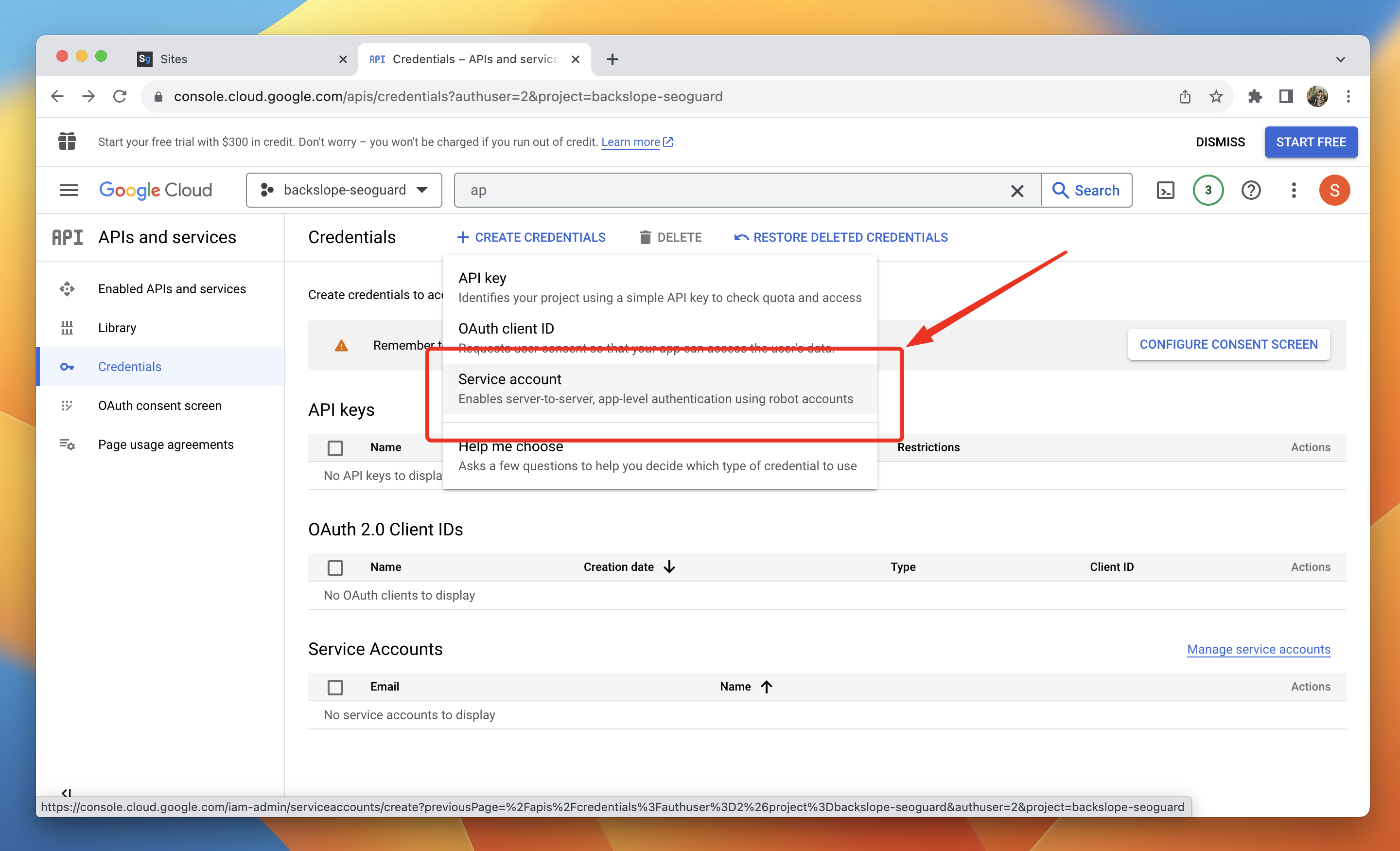
2.8. Go to https://console.cloud.google.com/apis/credentials, click on "Create Credentials", and select "Service Account".
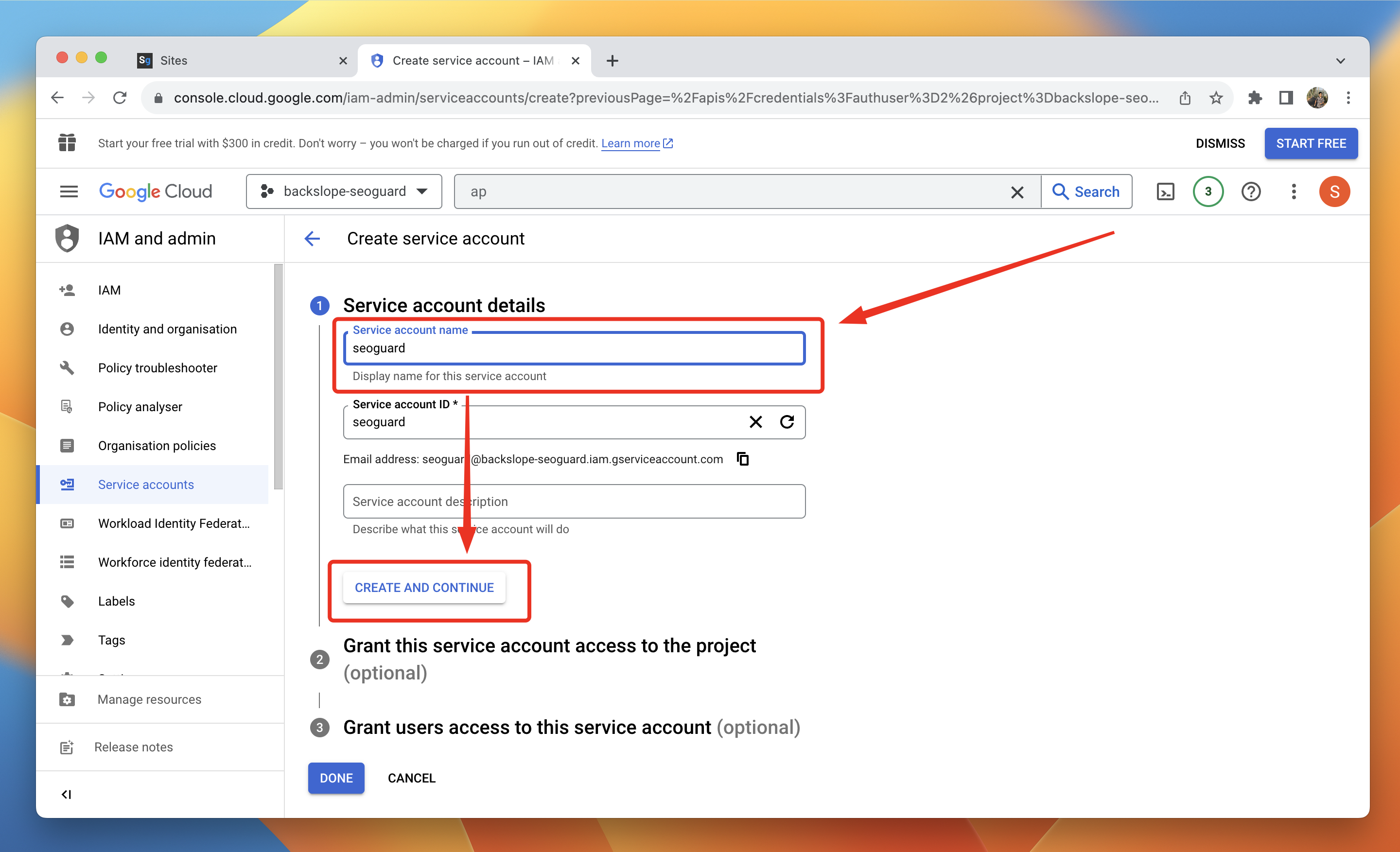
2.9. Provide a name for the service account and click on 'Create and Continue'.
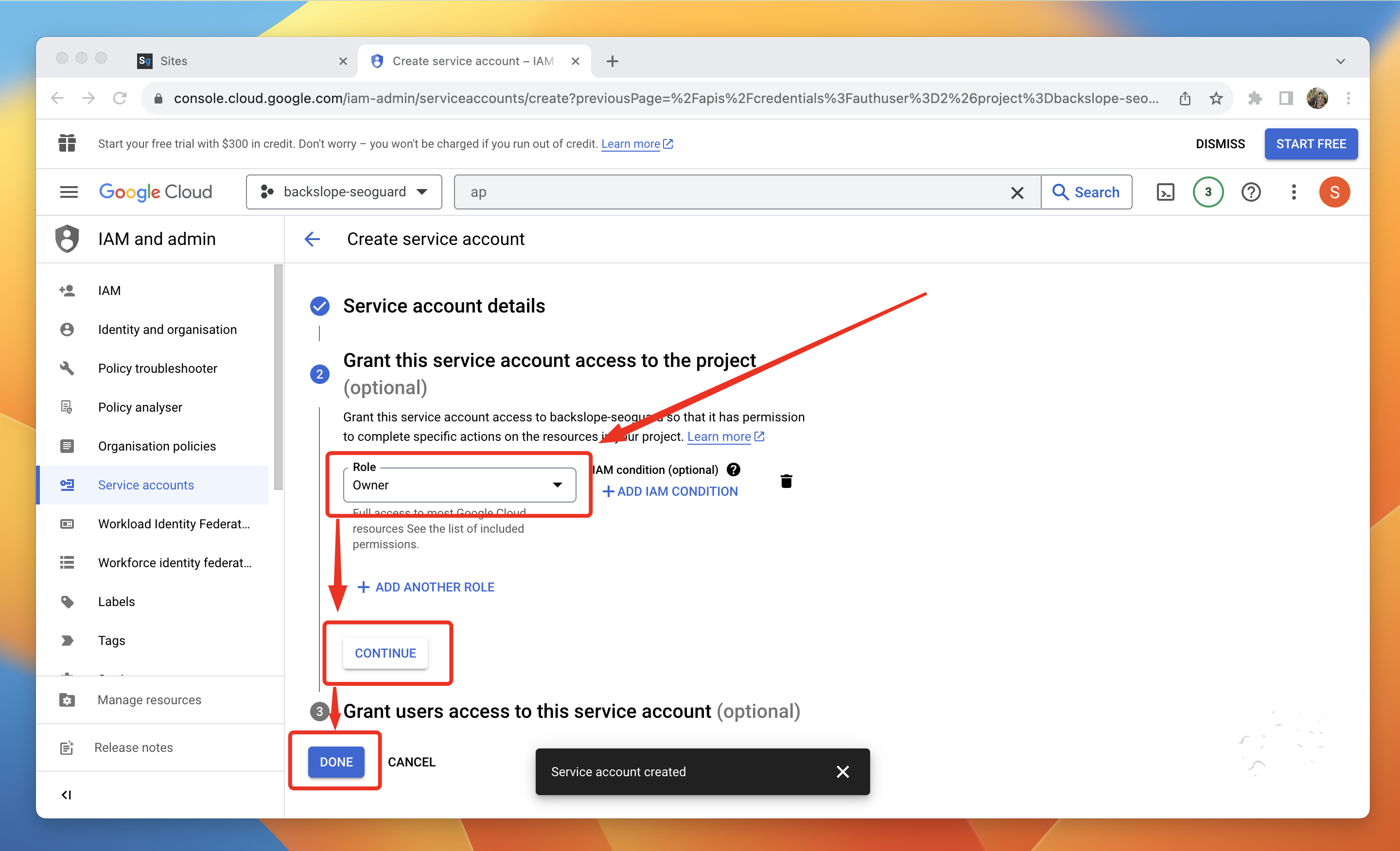
2.10. Set the role to Owner, click Continue, and save this by clicking on Done.
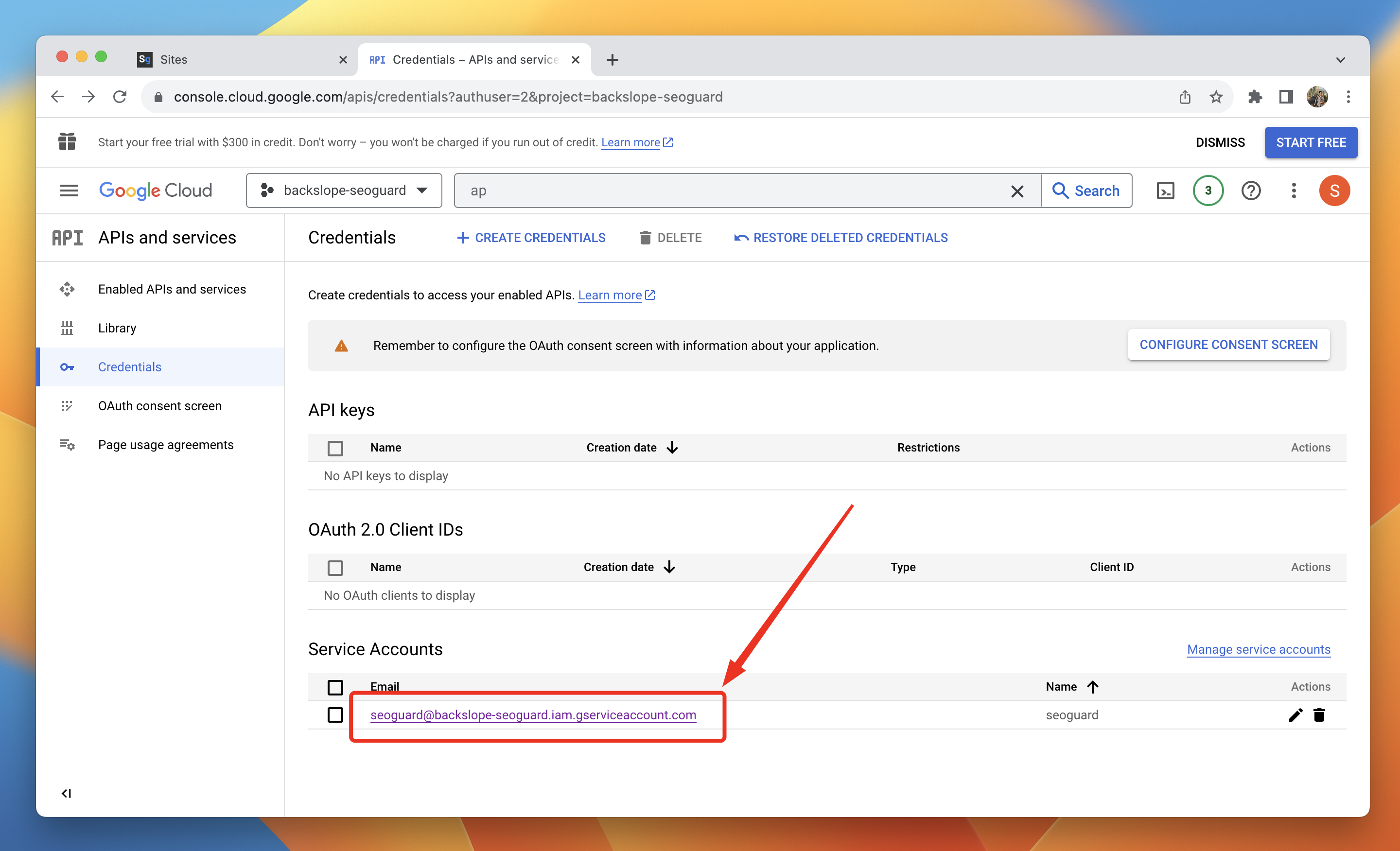
2.11. After creating the service account, click on it.
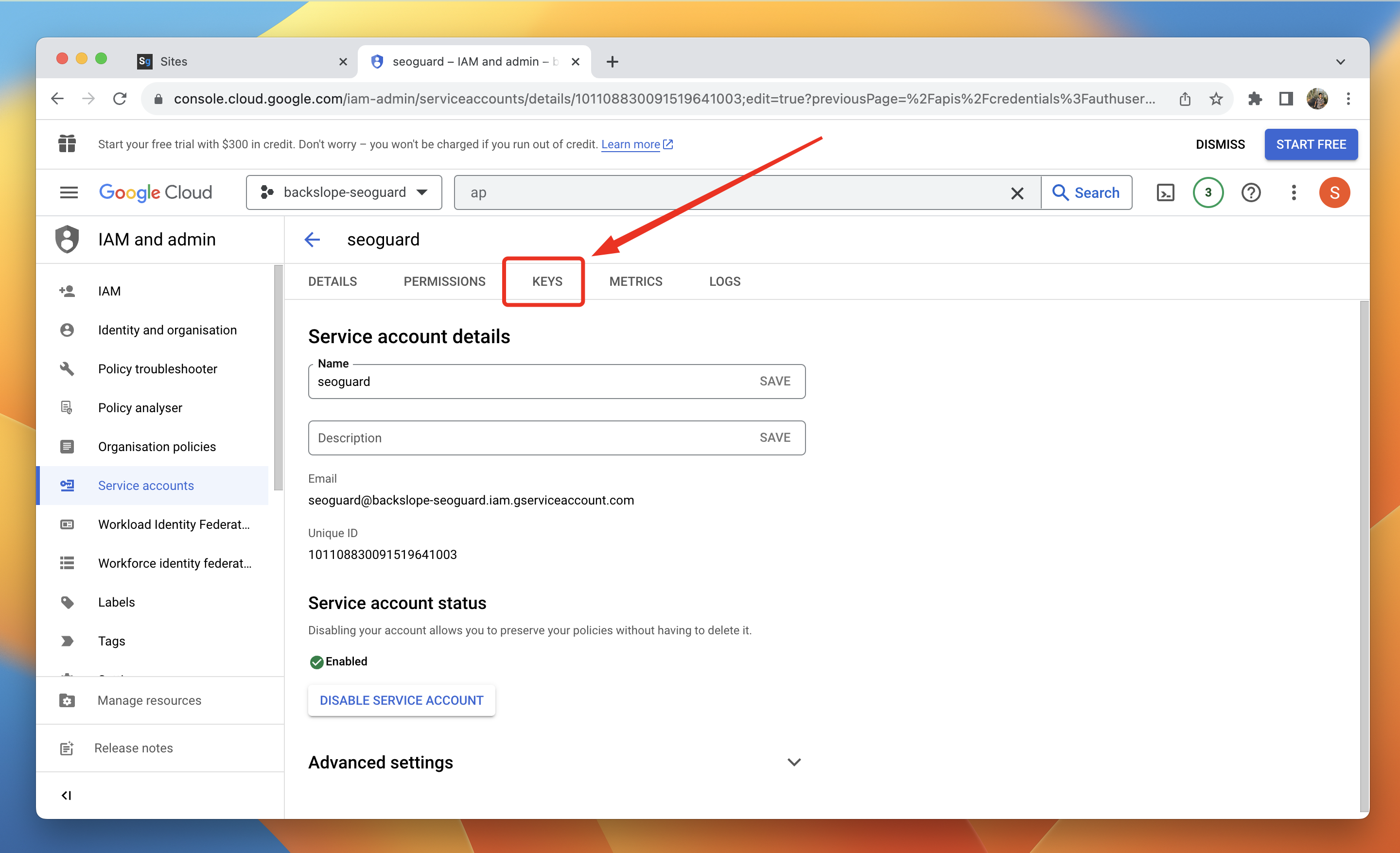
2.12. Click on "Keys".
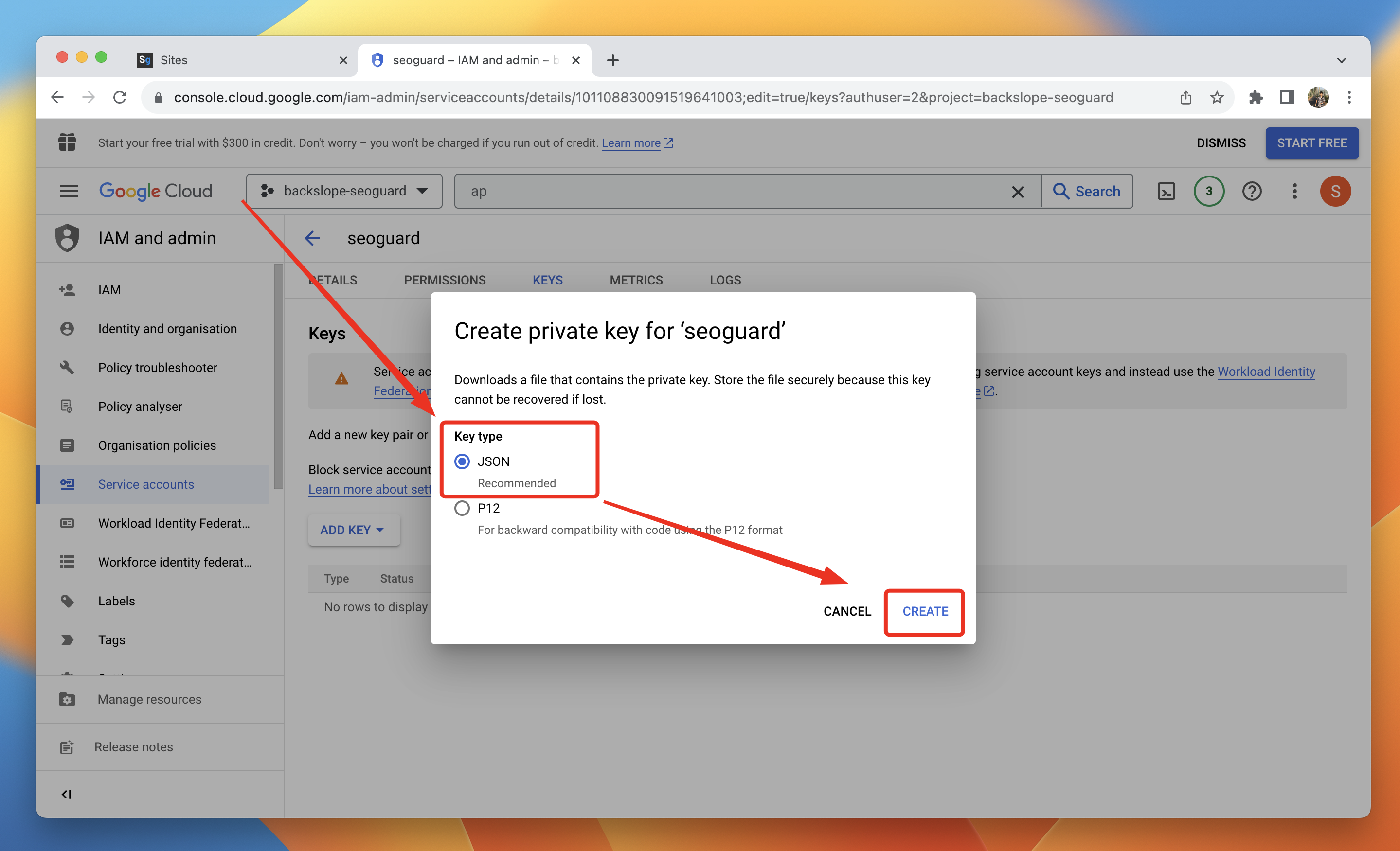
2.14. Select JSON and click on "Create".
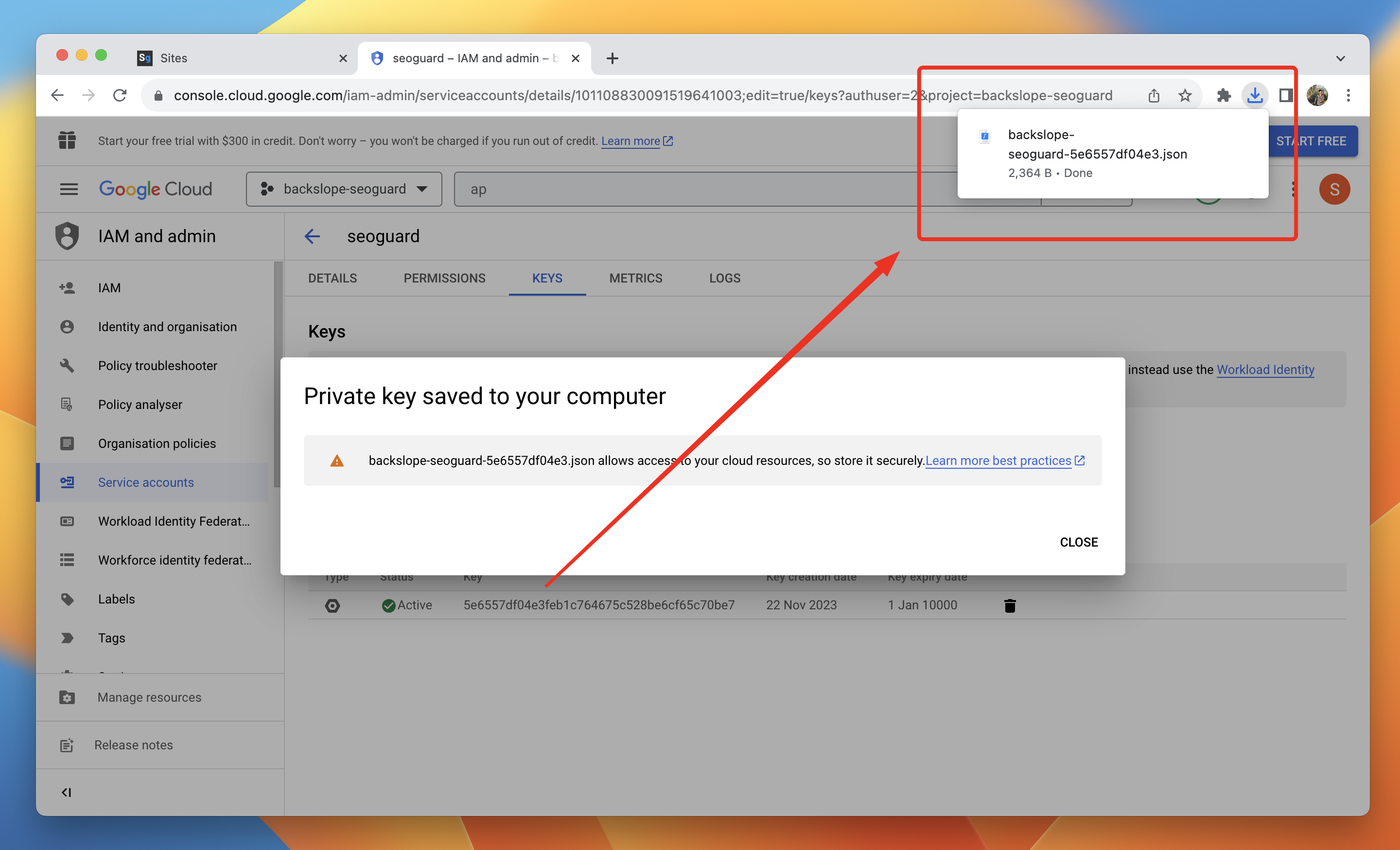
2.15. This will trigger a download of a JSON file. Save it in a secure location, as we will need it for the next step.
Was this article helpful?
That’s Great!
Thank you for your feedback
Sorry! We couldn't be helpful
Thank you for your feedback
Feedback sent
We appreciate your effort and will try to fix the article