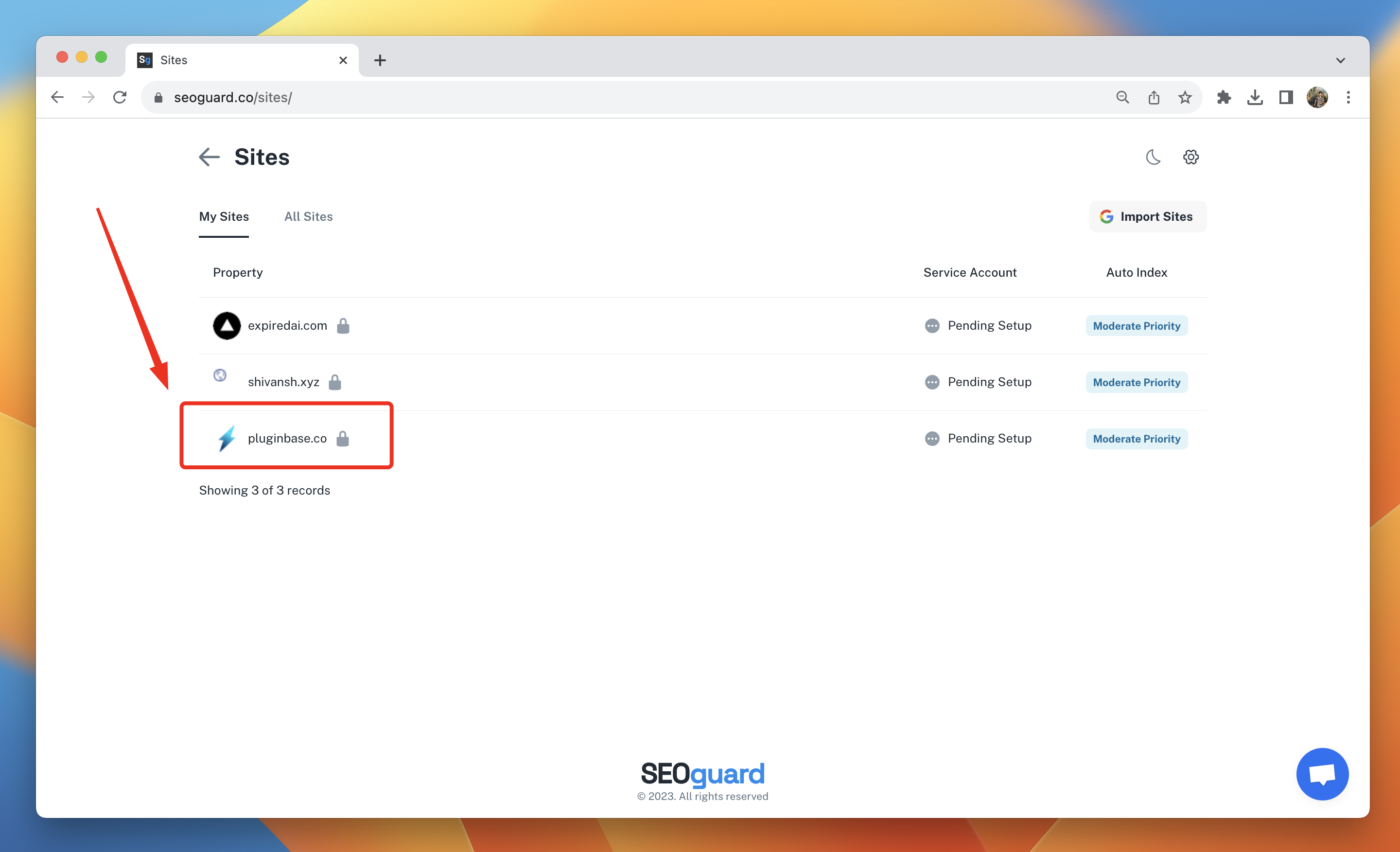
3.1. Click on the site you’re looking to setup indexing for
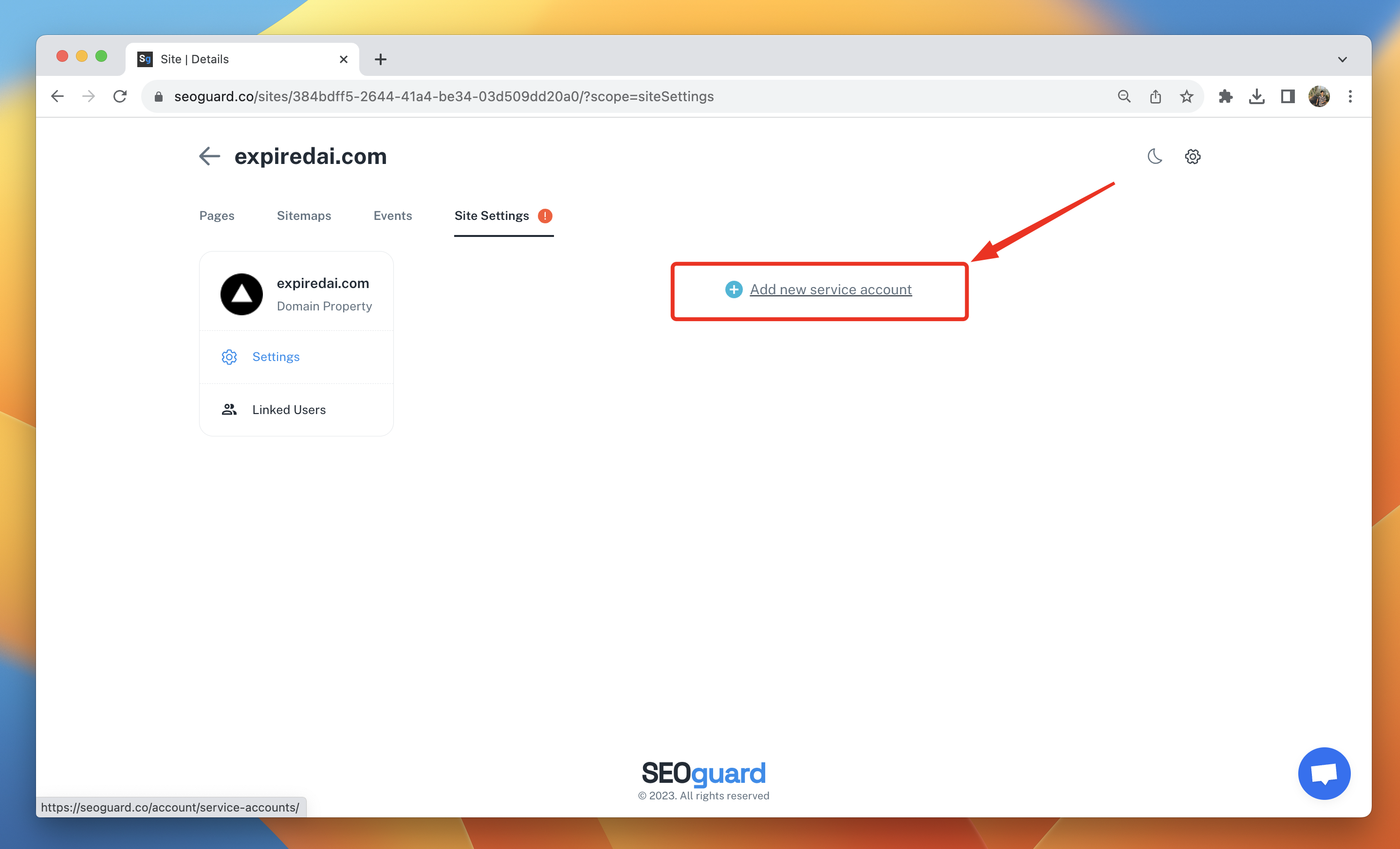
3.2. Click on “Add a new service account”
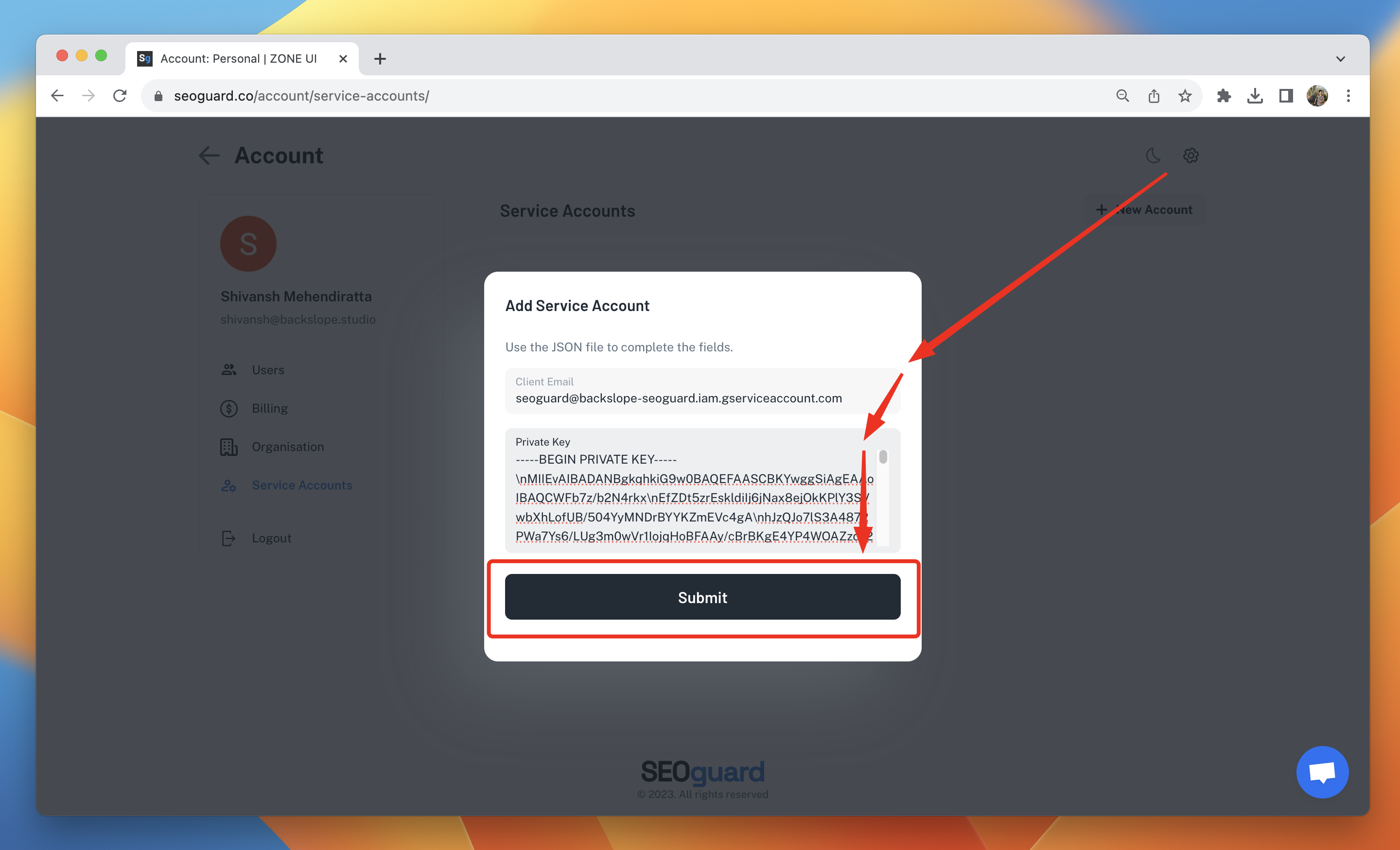
3.3. Click on "New Account" and enter the "Client Email" and "Private Key" from the JSON key you downloaded in step 2.9. Then, click Submit. You will see the Service Account added.
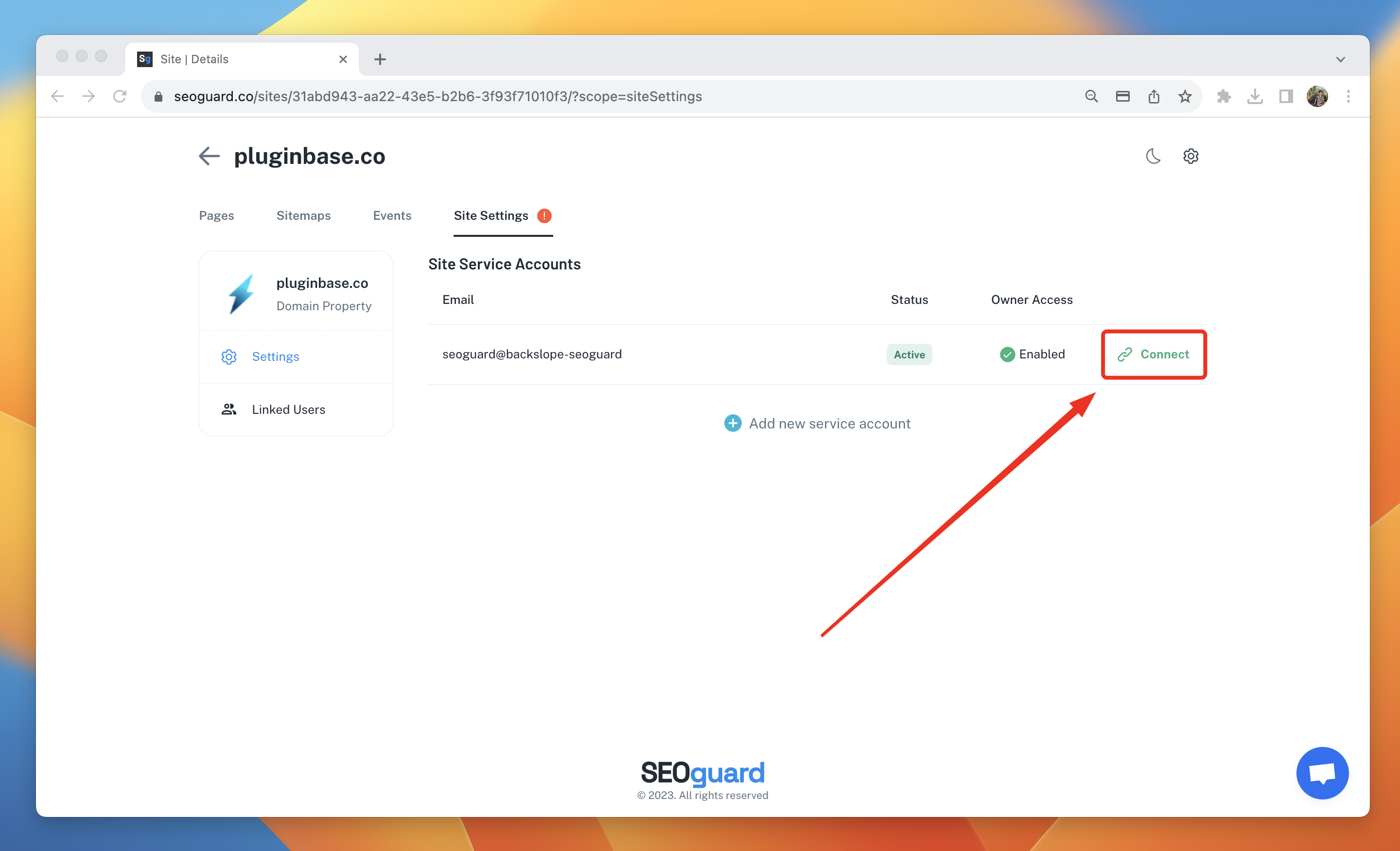
3.4. Return to the site settings of the desired site. Click on "Connect" next to the service account.
Was this article helpful?
That’s Great!
Thank you for your feedback
Sorry! We couldn't be helpful
Thank you for your feedback
Feedback sent
We appreciate your effort and will try to fix the article